

Two single-prompt builds with Claude Opus 5.5
Since Claude Opus 5.5 came out, I’ve been using it for my everyday work, and the difference is clear. It’s faster, and it handles more of a task before it needs me to step in.
Everyday tasks don’t tell you much about a model’s limits, though. A small refactor or a new endpoint was already easy with the previous models. So I gave it two harder problems, with one rule: a single prompt, no follow-ups. Whatever came out of that prompt is what got deployed.
Chromosome Atlas
Chromosome Atlas is an interactive 3D map of the human karyotype, built with three.js.
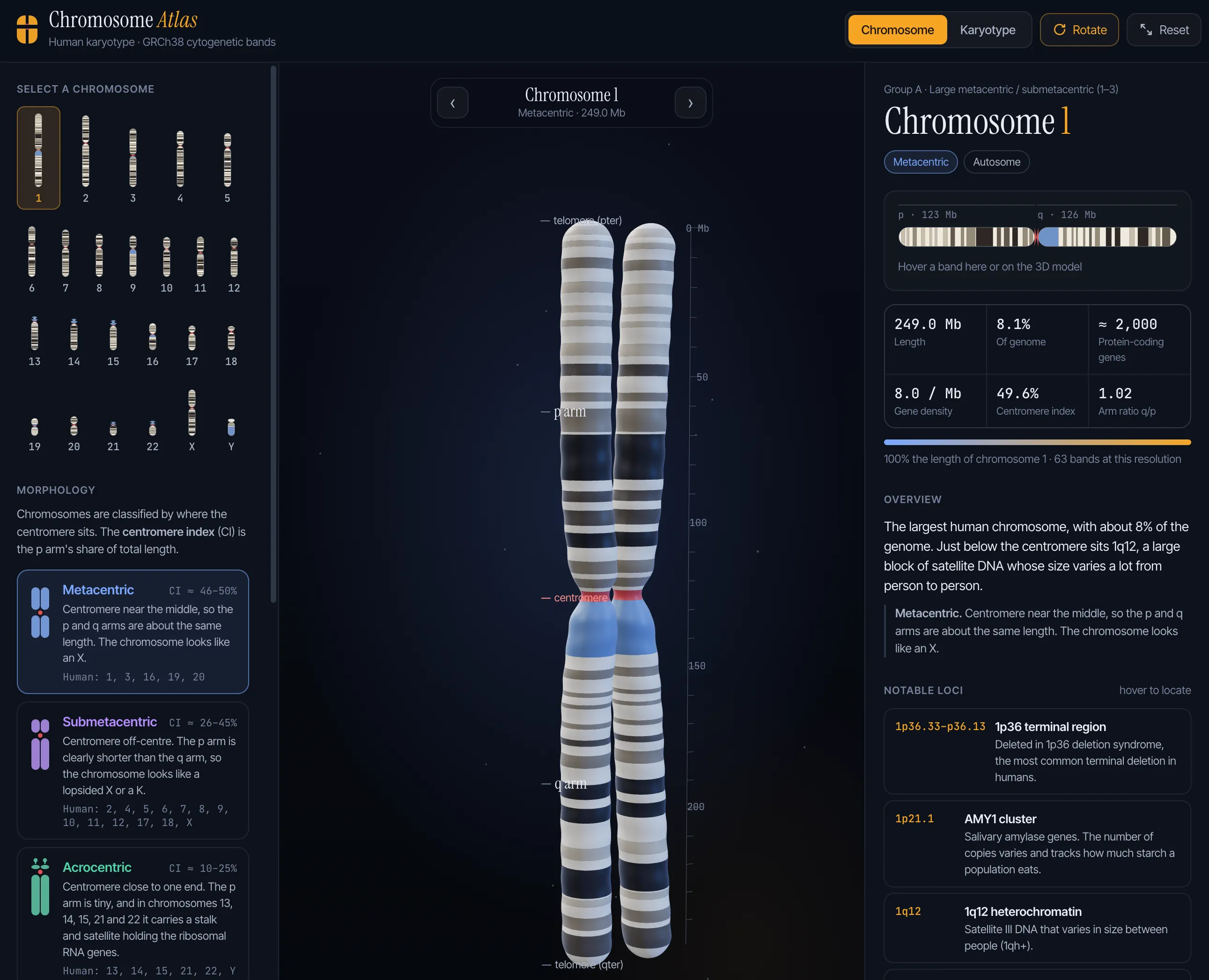
You pick a chromosome and get a 3D model of it, banded with the GRCh38 cytogenetic bands, which you can rotate and zoom. Next to it there’s a flat band diagram. Hover a band in either one and the other highlights it. The side panels explain the morphology (metacentric, submetacentric, acrocentric), show stats like length, gene density and centromere index, and list notable loci such as the 1p36 deletion region and the AMY1 cluster. There’s also a karyotype view with all 24 chromosomes side by side.
This is a hard thing to get right in one pass. It needs 3D geometry that looks like a chromosome, real band data mapped onto that geometry at the right positions, two views kept in sync on hover, and domain text that a biology student wouldn’t laugh at. Getting all of that working together from one prompt is what surprised me.
The Human Story
The Human Story is human history in one scroll. It covers 3.3 million years, from the first stone tools to today.
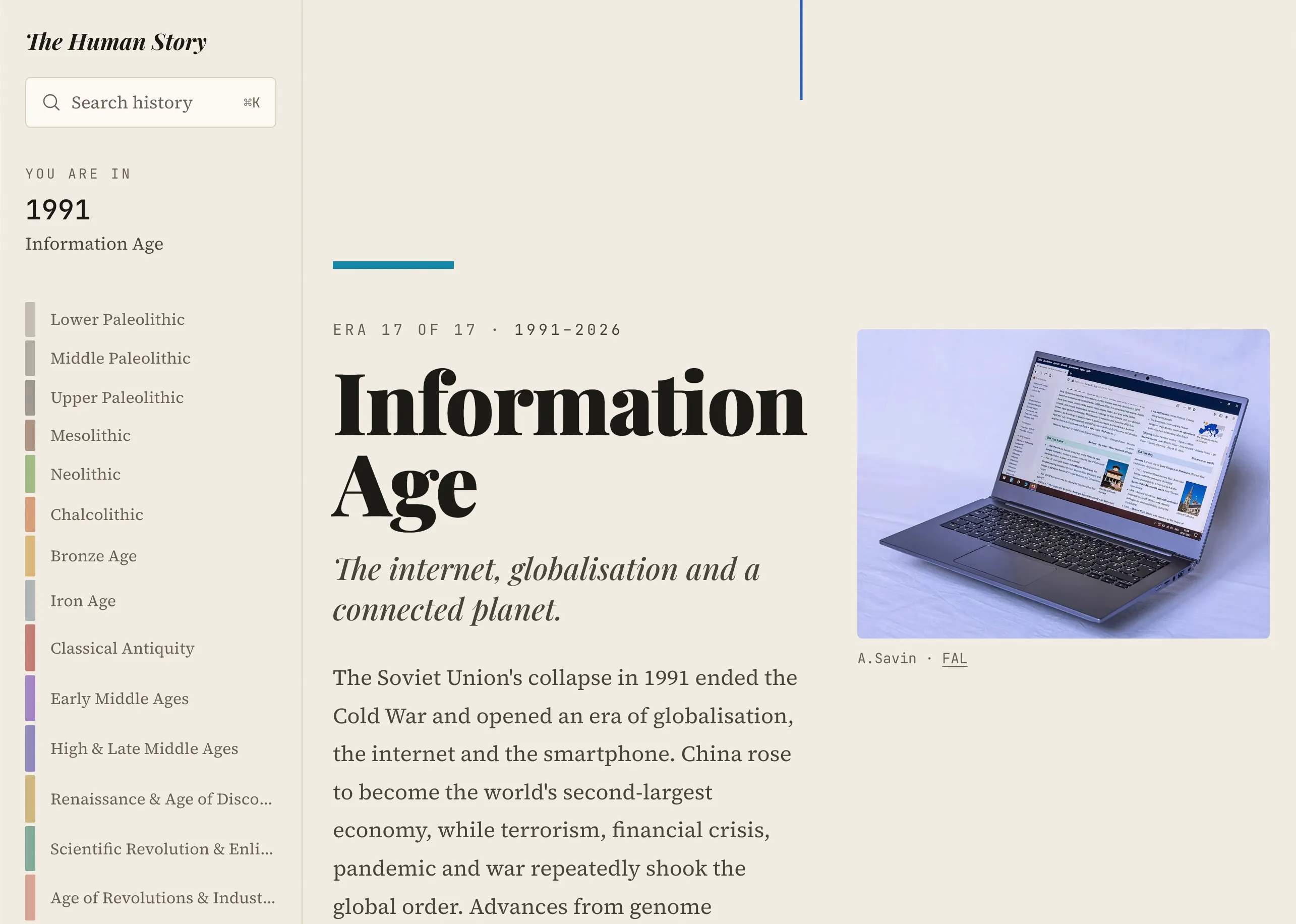
It’s split into 17 eras across four chapters. The sidebar tracks which era and year you’re in as you scroll, and ⌘K searches the whole timeline. Each era has a summary and a series of moments, and the images come from the Wikimedia API, with the author and license credited under each one.
For this one I also loaded the UI UX Pro Max design skill in Claude Code. It gives the model a library of styles, font pairings and UX guidelines to choose from. The result is an editorial layout with a serif display face, a warm paper background and one color per era, which reads more like a magazine than a typical generated landing page.
The difficult parts here are different from the atlas. The model had to pull images from an external API and keep the license credits correct, and it had to keep a long, content-heavy page easy to navigate. It also had to make design decisions that hold together across 17 sections.
What I take from it
Both projects came from a single prompt, and both work.
A single-prompt build is still a demo, though. It shows how far the model can go in one step, not whether the result is correct. Before either project goes in front of students, someone has to check the band positions and the dates against the sources. For real products the process stays the same: small changes, and a person who reads them before they ship.
What changed is where a project starts. With Opus 5.5 the first draft is much closer to the finished product, so more of my time goes to reviewing and deciding, and less to getting something working at all.